
Once a contact is added, or even if you’re only needing to access some contacts on the phone, it is important to know ways of searching for your data.
Android uses SQL to store the contacts, and the API used to manage this data resembles the SQL syntax a lot, making thing not only easier, but also offering a lot of control over your desired output.
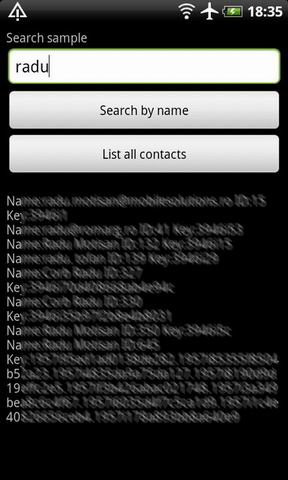
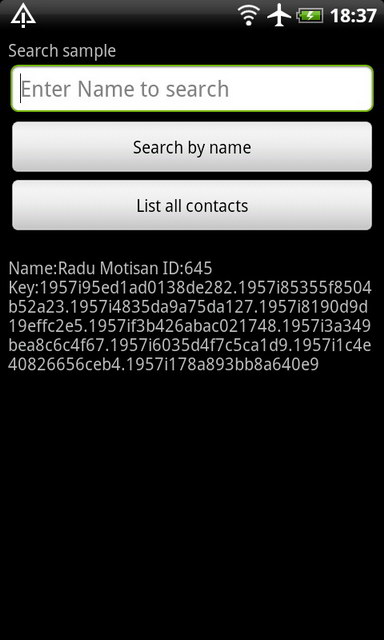
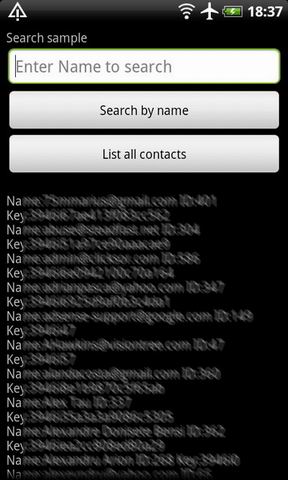
Here’s a sample to show a basic contacts search, first using a string to identify the name we need to locate, and a more general method where we define a projection (determining what columns to be read), additional parameters like visible/invisible contacts and sorting:
 |
 |
 |
To locate a particular contact we construct the search code like this:
String contname = "Name to Search for!";
Uri lkup = Uri.withAppendedPath(ContactsContract.Contacts.CONTENT_FILTER_URI, contname);
Cursor idCursor = getContentResolver().query(lkup, null, null, null, null);
while (idCursor.moveToNext()) {
	String id = idCursor.getString(idCursor.getColumnIndex(ContactsContract.Contacts._ID));
	String key = idCursor.getString(idCursor.getColumnIndex(ContactsContract.Contacts.LOOKUP_KEY));
	String name = idCursor.getString(idCursor.getColumnIndex(ContactsContract.Contacts.DISPLAY_NAME));
	Log.d(LOG_TAG, "search: "+id + " key: "+key + " name: "+name);
}
idCursor.close();
This code will return only a few columns corresponding to ContactsContract.Contacts structure. If we need to read more details like Phone or Email, the code must be modified like this:
String contname = "Name to Search for!";
Uri lkup = Uri.withAppendedPath(ContactsContract.Contacts.CONTENT_FILTER_URI, contname);
Cursor idCursor = getContentResolver().query(lkup, null, null, null, null);
while (idCursor.moveToNext()) {
	String id = idCursor.getString(idCursor.getColumnIndex(ContactsContract.Contacts._ID));
	String key = idCursor.getString(idCursor.getColumnIndex(ContactsContract.Contacts.LOOKUP_KEY));
	String name = idCursor.getString(idCursor.getColumnIndex(ContactsContract.Contacts.DISPLAY_NAME));
	Log.d(LOG_TAG, "search: "+id + " key: "+key + " name: "+name);
	// NAME: FIRST AND LAST
	String nameWhere = ContactsContract.Data.CONTACT_ID + " = ? AND " + ContactsContract.Data.MIMETYPE + " = ?";
	String[] nameWhereParams = new String[]{id, ContactsContract.CommonDataKinds.StructuredName.CONTENT_ITEM_TYPE};
	Cursor nameCur = cr.query(ContactsContract.Data.CONTENT_URI, null, nameWhere, nameWhereParams, null);
	boolean valid = false;
	while (nameCur.moveToNext()) {
		firstName = nameCur.getString(nameCur.getColumnIndex(ContactsContract.CommonDataKinds.StructuredName.GIVEN_NAME));
		lastName = nameCur.getString(nameCur.getColumnIndex(ContactsContract.CommonDataKinds.StructuredName.FAMILY_NAME));
		String idName = nameCur.getString(nameCur.getColumnIndex(ContactsContract.CommonDataKinds.StructuredName._ID));
		String contactidName = nameCur.getString(nameCur.getColumnIndex(ContactsContract.CommonDataKinds.StructuredName.CONTACT_ID));
		Log.e(LOG_TAG,"(id:"+id+") (fn:"+firstName+")(ln:"+lastName+")(rid:"+idName+")(cid:"+contactidName+")");

		if (firstName!=null && lastName!=null && (firstName.length()>0 || lastName.length()>0)) {
			valid = true;
			break;
		}
	}
	nameCur.close();
	// ORGANISATIONs
	String orgWhere = ContactsContract.Data.CONTACT_ID + " = ? AND " + ContactsContract.Data.MIMETYPE + " = ?";
	String[] orgWhereParams = new String[]{id, ContactsContract.CommonDataKinds.Organization.CONTENT_ITEM_TYPE};
	Cursor orgCur = cr.query(ContactsContract.Data.CONTENT_URI, null, orgWhere, orgWhereParams, null);
	//if (orgCur.moveToFirst()) {
	valid = false;
	while (orgCur.moveToNext()) {
		Company = orgCur.getString(orgCur.getColumnIndex(ContactsContract.CommonDataKinds.Organization.DATA));
		String idC = orgCur.getString(orgCur.getColumnIndex(ContactsContract.CommonDataKinds.Organization._ID));
		String contactidC = orgCur.getString(orgCur.getColumnIndex(ContactsContract.CommonDataKinds.Organization.CONTACT_ID));
		//String title = orgCur.getString(orgCur.getColumnIndex(ContactsContract.CommonDataKinds.Organization.TITLE));
		Log.e(LOG_TAG,"(id:"+id+") (c:"+Company+")(rid:"+idC+")(cid:"+contactidC+")");
		if (Company!=null && Company.length()>0) {
			valid = true;
			break;
		}
	}
	orgCur.close();
}
idCursor.close();
So first we do a search to identify the CONTACT ID for a given name , then we use the ID to run another search and identify the other contact fields we’re interested in . In the same way we can retriebe Phone, FAX, Email, WEB, notes, or any custom columns.
Here’s a sample project:
AndroidContacts4
Hi,
I need to search for contacts by _ID parameter. I have got id and I wanna query ContactContract API for the contact information. Any help will be appreciated.
Thanks
Ayaz Alavi
Hi Ayaz. Use ContentUris.withAppendedId() or Uri.withAppendedPath() (see here for example: http://developer.android.com/guide/topics/providers/content-providers.html#querying)
My question: how do I make some more complex queries than just “select…from…where”? I want to get all contacts that have more than one phone (see my question on stackoverflow: http://stackoverflow.com/questions/6404689/all-contacts-that-have-more-than-one-phone-number). Is there a way to get them using only one query?
Damn url parser… the links should have been: http://developer.android.com/guide/topics/providers/content-providers.html#querying and http://stackoverflow.com/questions/6404689/all-contacts-that-have-more-than-one-phone-number
I have used how declare method move ToFirst in a class.I’am Starter help me.thx:)
Thanks Dude, used your first name last name code.