
By default, using snprintf or the similar vsnprintf with %f flag for floats will have a different result than expected. For instance, here is a LCD function I wrote, for displaying strings, accepting a variable number of parameters (like printf), including floats:
void HD44780::lcd_string_format(char *szFormat, ...)
{
    char szBuffer[256]; //in this buffer we form the message
    int NUMCHARS = sizeof(szBuffer) / sizeof(szBuffer[0]);
    int LASTCHAR = NUMCHARS - 1;
    va_list pArgs;
    va_start(pArgs, szFormat);
    vsnprintf(szBuffer, NUMCHARS - 1, szFormat, pArgs);
    va_end(pArgs);

	lcd_string(szBuffer);
}
Using it to display a float:
float x= 3.141592653;
lcd_string_format("%f", x);
Will simply show ? (question mark):
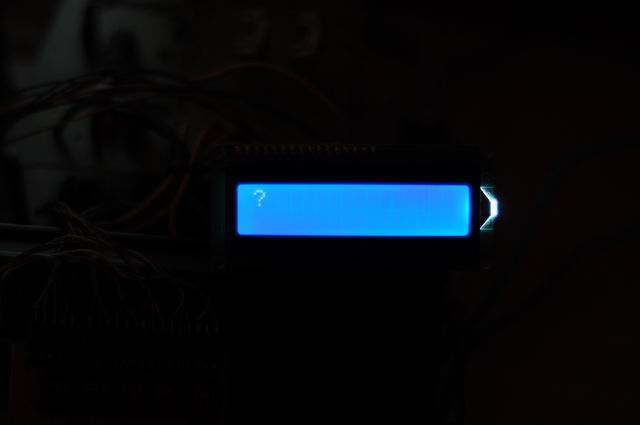
To fix this , configure your AVR Studio project as follows:
1. Go to Project->Properties (ALT+F7) and under AVR/GNU C++ Linker select Libraries. Under Librarier (-Wl,-l) use the Add button twice and insert libprintf_flt.a then libm.a
2. Go to Miscellaneous and add -Wl,-u,vfprintf -lprintf_flt -lm
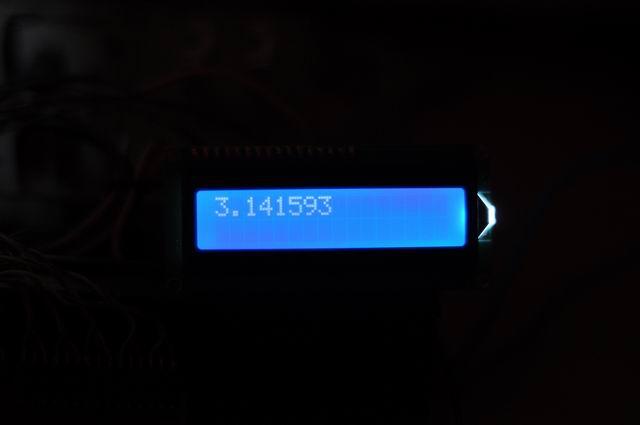
Save and rebuilt. The result looks much better:
Cool man. Thank you. It works nice 🙂 but every time i create new project these setings must be done :/
At least we have a solution.
i dont get it. i have added the file to libraries, and linker option. what should i do it with linker path. i got following error.
C:\Program Files\Atmel\AVR Studio 5.1\extensions\Atmel\AVRGCC\3.3.1.27\AVRToolchain\bin\avr-gcc.exe” -o AVRGCC4.elf AVRGCC4.o lcd.o -Wl,-Map=”AVRGCC4.map” -Wl,-lm -Wl,-l libprintf_flt -Wl,-lm -Wl,-u,vfprintf -lprintf_flt -lm -mmcu=atmega32
avr-gcc.exe: libprintf_flt: No such file or directory
make: *** [AVRGCC4.elf] Error 1
Done executing task “RunCompilerTask” — FAILED.
Done building target “CoreBuild” in project “AVRGCC4.cproj” — FAILED.
Done building project “AVRGCC4.cproj” — FAILED.
Build FAILED.
========== Build: 0 succeeded or up-to-date, 1 failed, 0 skipped ==========
Thanks man for your wonderful information 🙂