
 |
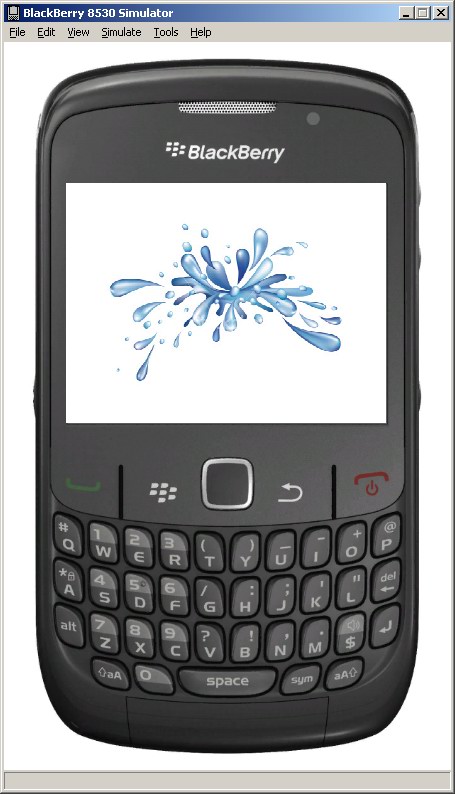
A splash screen is an application window, that appears at startup, usually showing some logo. It lasts for only a few seconds, then the application workflow continues (eg. next screen pops up).
But how to do this for BlackBerry, programmatically? |
First you create a new project. The entry point should be:
 /**
     * Entry point for application
     *
     * @param args
     *            Command line arguments (not used)
     */
    public static void main( String[] args ) {
        // Create a new instance of the application and make the currently
        // running thread the application's event dispatch thread.
        MainApp theApp = new MainApp();
        theApp.enterEventDispatcher();
    }

    /**
     * Creates a new MainApp object
     */
    public MainApp() {
    	// init app globals
    	g_nScreenWidth =  Display.getHeight();
        g_nScreenHeight = Display.getWidth();

        // Push a screen onto the UI stack for rendering.
        splashScreen = new SplashScreen();
        pushScreen( splashScreen );
    }
When the SplashScreen class loads, we use an image in resources as the splash image to display:
 BitmapField bmp = new BitmapField(
        		Utils.getFitBitmapImage("splash1.png",MainApp.g_nScreenWidth, MainApp.g_nScreenHeight),
        		BitmapField.FIELD_HCENTER | BitmapField.FIELD_VCENTER);

        HorizontalFieldManager rowHolder = new HorizontalFieldManager(NO_HORIZONTAL_SCROLL | NO_VERTICAL_SCROLL|
                Field.FIELD_HCENTER | USE_ALL_HEIGHT );
        rowHolder.add(bmp);
        add(rowHolder);
This helper function is used to resize a given resource bitmap to match a rectangular area. This can be used to shrink or enlarge the image, it can also be used to make the image cover to whole screen.
    // Resize a bitmap proportionally  (shrink or enlarge) to make it fit a maxX x maxY rectangle
    static public Bitmap getFitBitmapImage(String imagename, int maxX, int maxY)
    {

        EncodedImage image = EncodedImage.getEncodedImageResource(imagename);

        int currentWidthFixed32 = Fixed32.toFP(image.getWidth());
        int currentHeightFixed32 = Fixed32.toFP(image.getHeight());

		//double ratio = (double)ratioX / (double) ratioY;
		double rx = (double) image.getWidth() / (double)maxX;
		double ry = (double) image.getHeight() / (double)maxY;
		double r = 0;
		if (rx > ry) r = rx; else r= ry;
		double w = (double) image.getWidth() / r;
		double h = (double) image.getHeight() / r;

		int width = (int) w;
		int height = (int) h;

		int requiredWidthFixed32 = Fixed32.toFP(width);
		int requiredHeightFixed32 = Fixed32.toFP(height);

		int scaleXFixed32 = Fixed32.div(currentWidthFixed32, requiredWidthFixed32);
		int scaleYFixed32 = Fixed32.div(currentHeightFixed32, requiredHeightFixed32);

		image = image.scaleImage32(scaleXFixed32, scaleYFixed32);

		return image.getBitmap();
    }
To make the program load the next class automatically and skip the splash screen use:
MainApp.homeScreen = new HomeScreen();
        UiApplication.getUiApplication().invokeLater(new Runnable() {
            public void run() {
                UiApplication.getUiApplication().pushScreen(MainApp.homeScreen);
                UiApplication.getUiApplication().popScreen(MainApp.splashScreen);
            }
        }, 2000, false);
Complete code here:
SplashScreen